
Take Control of Your Money Today
Track every expense, manage budgets, and achieve your savings goals with one simple app. Get complete clarity on where your money goes and make smarter financial decisions every day.
Everything You Need to Manage Your Money
See Your Complete Picture
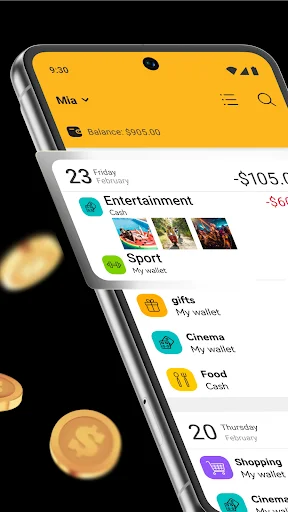
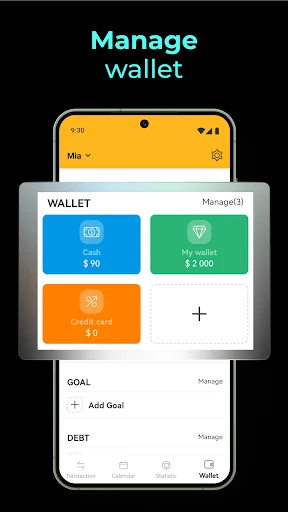
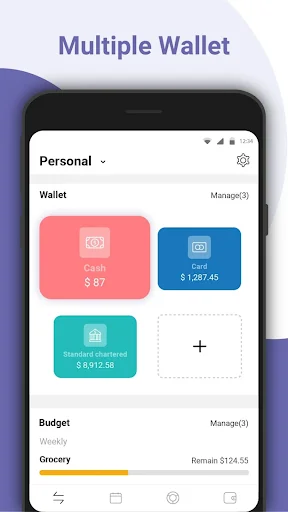
View all your accounts, wallets, and balances in one place. Organize personal spending separately from family expenses or work transactions, so you always know exactly where you stand financially.
Stay Within Your Budget
Set spending limits for any category and receive alerts when you reach your threshold. Stop wondering if you can afford that purchase – your budget tracker gives you instant answers and keeps overspending in check.
Customize Your Financial System
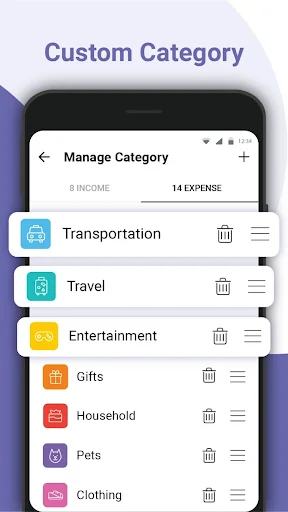
Create accounts and categories that match your life. Track cash, cards, and bank balances separately. Use custom categories and colors to organize your records exactly the way you want.
Understand Your Spending Habits
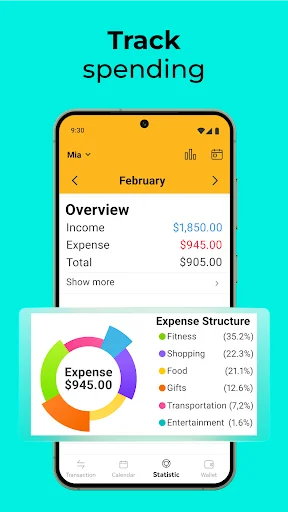
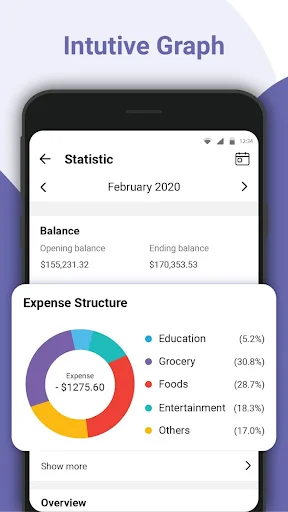
Review detailed statistics and category breakdowns that reveal exactly where your money goes. Filter by day, week, month, or custom date ranges to spot patterns and make informed decisions about your finances.
About This App
What is Money Manager: Expense Tracker?
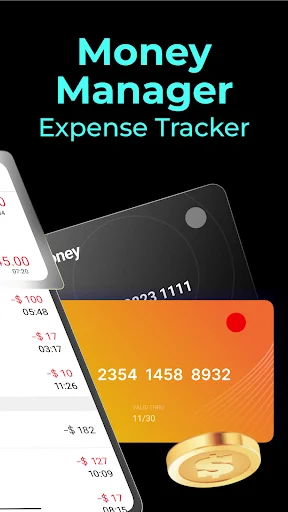
An Android expense tracker and budget planner for recording income, organising expenses, and reviewing where your money goes. Keep transactions in separate accounts and wallets, customise your categories, and follow your recorded balances in one place.
Use daily expense tracking to build a clearer picture of your spending and review the categories that matter to your budget.
Who is Money Manager: Expense Tracker for?
For people who want to organise personal spending, keep family records separate, or distinguish work-related transactions from everyday purchases. Create accounts for different purposes and wallets for cash, cards, bank balances, or e-wallet records.
It also suits people working towards a savings target, keeping track of money they owe, or preparing transaction records for review in a spreadsheet.
What does Money Manager: Expense Tracker do?
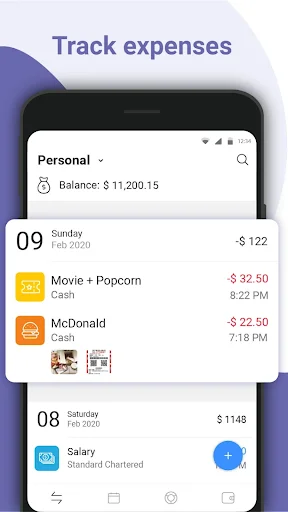
- Track income and expenses: Keep a record of money coming in and going out.
- Organise multiple accounts and wallets: Separate financial records by purpose and payment source.
- Review total balance: See the combined balance calculated from your wallet records.
- Customise categories: Create or delete categories and use colours to organise your account book.
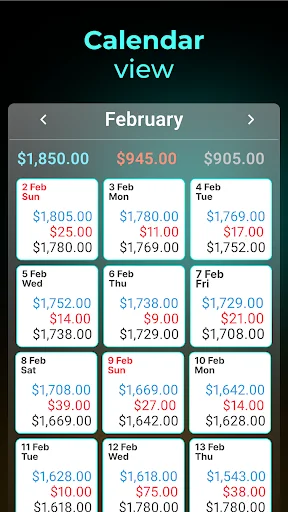
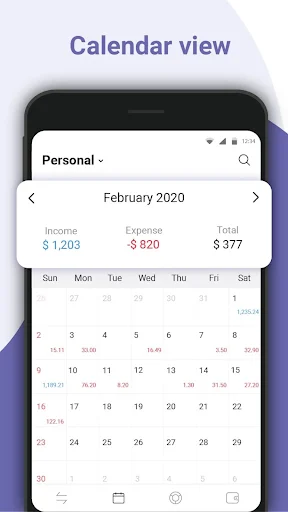
- Filter by date: Review transactions and balances daily, weekly, monthly, yearly, or between two selected dates.
- Explore spending statistics: Use category breakdowns to understand how recorded expenses are distributed.
- Set budgets: Choose spending limits and receive alerts when you reach your budget threshold.
- Follow savings goals: Set a target and track progress towards the amount you want to save.
- Record debts: Keep track of amounts you owe and the related transactions.
- Find records: Search for specific income or expense entries.
- Export transactions: Export records to CSV or Excel for spreadsheet review or printing.
Use the budget planner alongside your spending records to compare your limits with the expenses you have entered. Review a month as a whole or select a shorter period when you want to look more closely at recent activity.
How does Money Manager: Expense Tracker work?
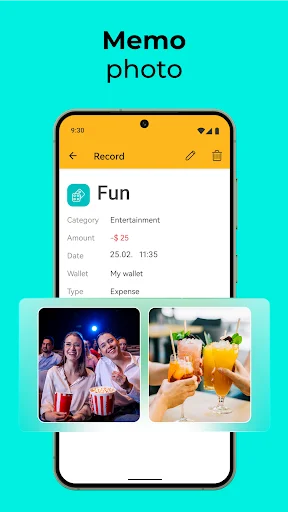
Create accounts and wallets that reflect how you want to organise your records. Set up categories, then add income and expense entries to the appropriate wallet and category.
Review balances, date-based summaries, and statistics as your records grow. Add budgets, savings targets, or debt entries for the areas you want to follow. Use search to locate a transaction and export records when you want to work with them in a spreadsheet.
For daily expense tracking, record purchases consistently so your summaries reflect the transactions you have entered.
Compatibility and requirements
This app is available for Android. It contains ads and offers in-app purchases.
Privacy
Use a 4-digit password to restrict access to your financial records within the app. The app may share device or other identifiers with third parties.
Money Manager: Expense Tracker brings spending records, budgets, and savings goals together to help you review your everyday finances.
See How Simple Money Management Can Be
Join Thousands of Happy Users
I find the App very useful. The user interface is very good and clrar. The wallets are versatile. In spite of the above observations, I notice that (1) the search engine does not access the contents of the Memo in the data field. (2) The output of the search engine cannot be shared nor copied or exported.
It's nice &useful app for money management.And so , I likes more this app to manage my money.
It's easy to use and flexible. I would recommend it to my friends
Good application for your day to day expenses
A good one and easy to use once setup.
Gg update and using Expenses for if it this for within itself applicant app.