Take Control of Your Money Today
Track every dollar with ease. My Wallet gives you a complete view of your income, expenses, and savings in one simple app – so you always know where your money goes.
Everything You Need to Manage Money Better
Track Expenses That Matter
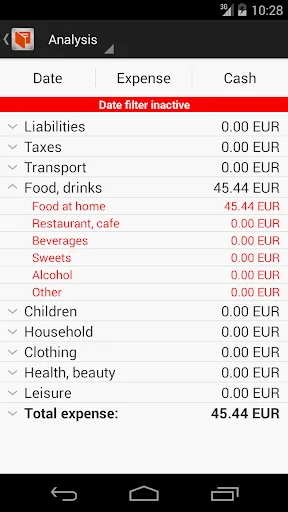
Create custom categories and subcategories that match your real spending habits. See exactly where your money goes each month and find easy ways to save more.
Manage All Your Accounts
Keep track of multiple bank accounts, wallets, and currencies in one place. Transfer money between accounts instantly and always know your true financial position.
Get Clear Financial Insights
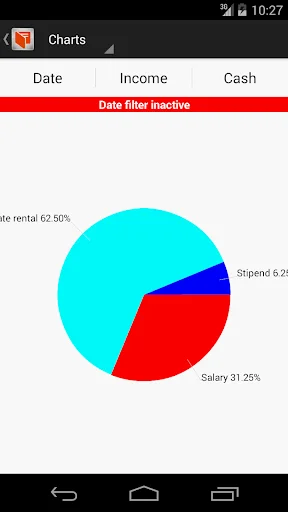
View detailed reports with charts and breakdowns that show your spending patterns. Make smarter money decisions based on real data, not guesswork.
Keep Your Data Safe
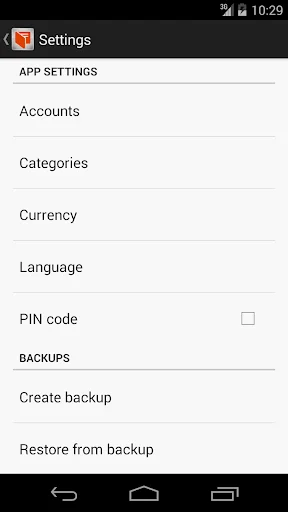
Protect your financial information with secure pincode access. Backup all your data anytime and restore it seamlessly when you switch devices.
About This App
Manage Your Finances with Ease!
Discover the ultimate Mobile Wallet and Budget Planner app! Effortlessly track your personal expenses and income with our top-notch Personal Expense Tracker. This free, user-friendly Money Manager is designed to give you complete control over your finances. Whether it's your balance or your family's, keep everything in one place.
Fantastic App Functions
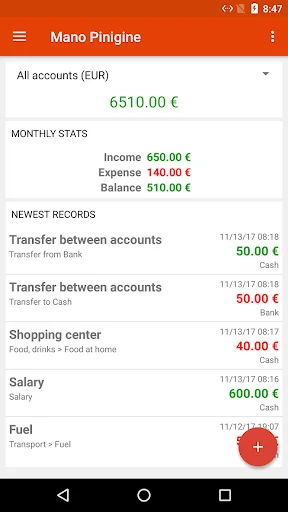
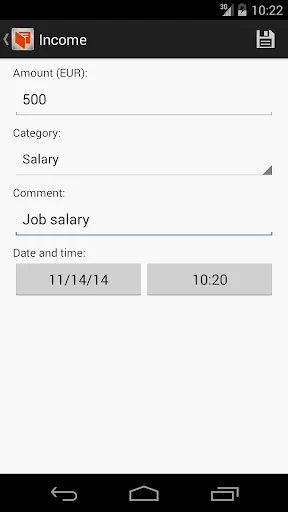
- Income Tracking: Save incomes by category with the option to add, edit, rename, or remove categories. Tailor the app to your specific financial situation and ensure all sources of income are accounted for. Our Budget Planner makes it easy!
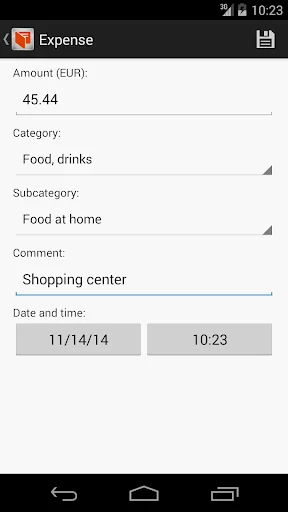
- Expense Management: Save expenses by category and subcategory. Customize these categories to fit your spending habits, helping you monitor and control your expenses effectively. Our Personal Expense Tracker ensures every detail is covered.
- Account Transfers: Easily transfer money between different accounts in your Mobile Wallet. This feature ensures smooth and efficient money management without complicated processes.
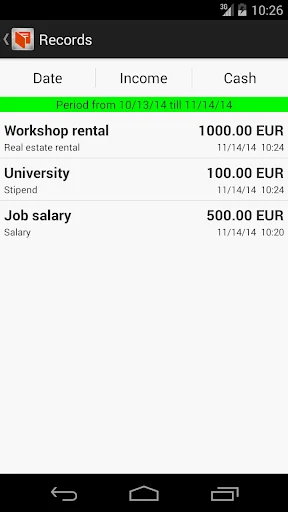
- Transaction Log: View all income, expense, or transfer transactions in a detailed log. Edit or delete entries as needed and filter the log by date for easy access to past transactions.
- Detailed Reports: Generate comprehensive reports providing insights into your financial health. Balance sheets, charts, and category analysis help you understand your spending and saving patterns. Use the Budget Planner to stay on top of your finances.
- Multi-Account Support: Add multiple accounts, each with its own currency if needed. Edit or remove accounts as your financial situation changes. This flexibility makes managing finances across different accounts and currencies straightforward with our Mobile Wallet.
- Security: Protect your app with a secure pincode to ensure your financial data remains confidential.
- Backup and Restore: Save all app data to a backup and restore it when needed. This feature provides peace of mind knowing your financial data is safe and can be transferred between devices seamlessly.
- Currency Conversion: Use the currency conversion tool to manage accounts with different currencies. This tool helps keep accurate financial records regardless of currency fluctuations.
How to Transfer Data to a New Device
For Android < 11:
- Backup data on the old device. Open the Settings page and choose "Create backup." If prompted, grant additional permissions for the app to access your phone's internal memory. Perform the backup operation again if necessary.
- After backing up, you will have two files (database and preferences) created in the "manopiniginelt" folder. This folder is located in your phone's internal memory. Use a File Manager to locate it.
- On your new device, initialize the backup location by creating a backup. This step ensures that the backup folder is created on the new device.
- Copy the two backup files from the old device to the new one. Then, open the app on the new device and perform the "Restore backup" operation. Select the transferred files to complete the process.
For Android 11+:
- Perform a data backup on your old device. Open the Settings page and choose "Create backup." Select any directory where you want the backup file to be stored (e.g., Downloads, Documents).
- After backing up, you will have one file created in the chosen folder. Use a File Manager to locate it.
- Copy the backup file to the new device. Open the app on the new device and perform the "Restore backup" operation. Locate and select the backup file to restore your data.
Control your budget with fantastic expense tracker!
See How Simple Money Management Can Be
Join Thousands Who Love My Wallet
So far so good. I love how direct and simple this app is.
kdak app ..ekdam dil se best ..hisab kitab daily ka salary ka aasani se rakh sakte
nice app.it made my work so easy
Perfect using application for savings
this is really super and user friendly
Outstanding app, must have app.